Introduction:
The Bots Framework that run inside skype ,web chat , Facebook ,Message ,etc. Users can interact with bots by sending them messages, commands and inline requests. You control your bots using HTTPS requests to our bot API.In this article, how you can integrate a bot right into your Xamarin.Forms application via the Microsoft Bot Framework Web bots.

Create new bot Application:
You can read my previous article for Getting Started with Bots Using Visual Studio 2017 from following URL http://www.c-sharpcorner.com/article/getting-started-with-bots-using-visual-studio-2017/
Publish Bot Application to Azure:
You can read my previous articles for publish bot application to azure from following URL http://www.c-sharpcorner.com/article/getting-started-deploy-a-bot-to-azure-using-visual-studio-2017/
 Generate Web Chat Code:
After publish you bots into azure, you can generate web Chat html code from bots portal as per below Step 1
Sign in to the Bot framework Portal - https://dev.botframework.com/Step 2
Click My BotsStep 3
Select your bot that you want to generate codeStep 4:
Click on Get bot embed Codes > Click on Web Chat icon > Click on (Click here to open Web Chat configuration page)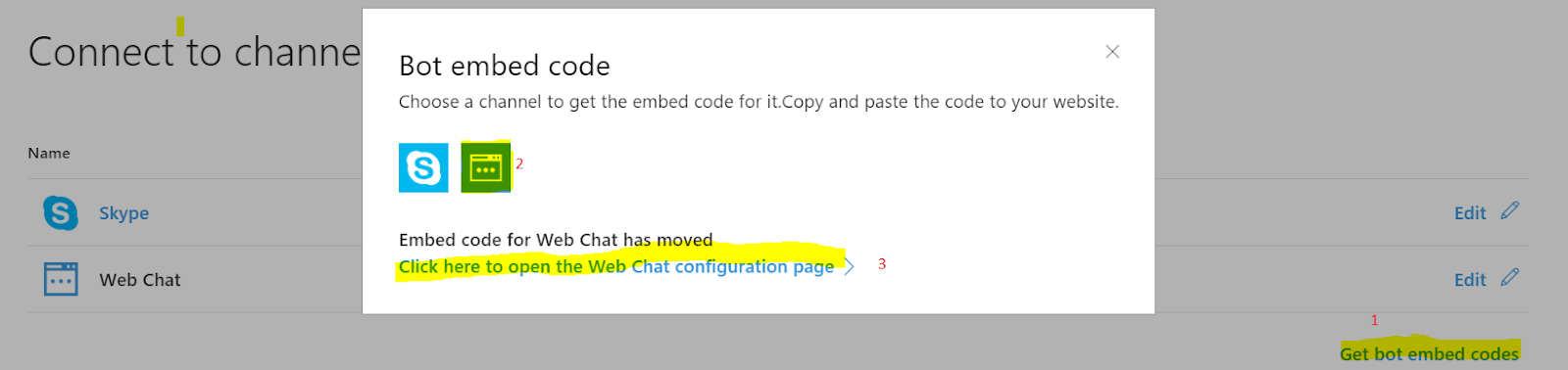
Step 5:
It will navigate to new web page for configuration and click on + Add New Site > Provide site or application name > Click on Done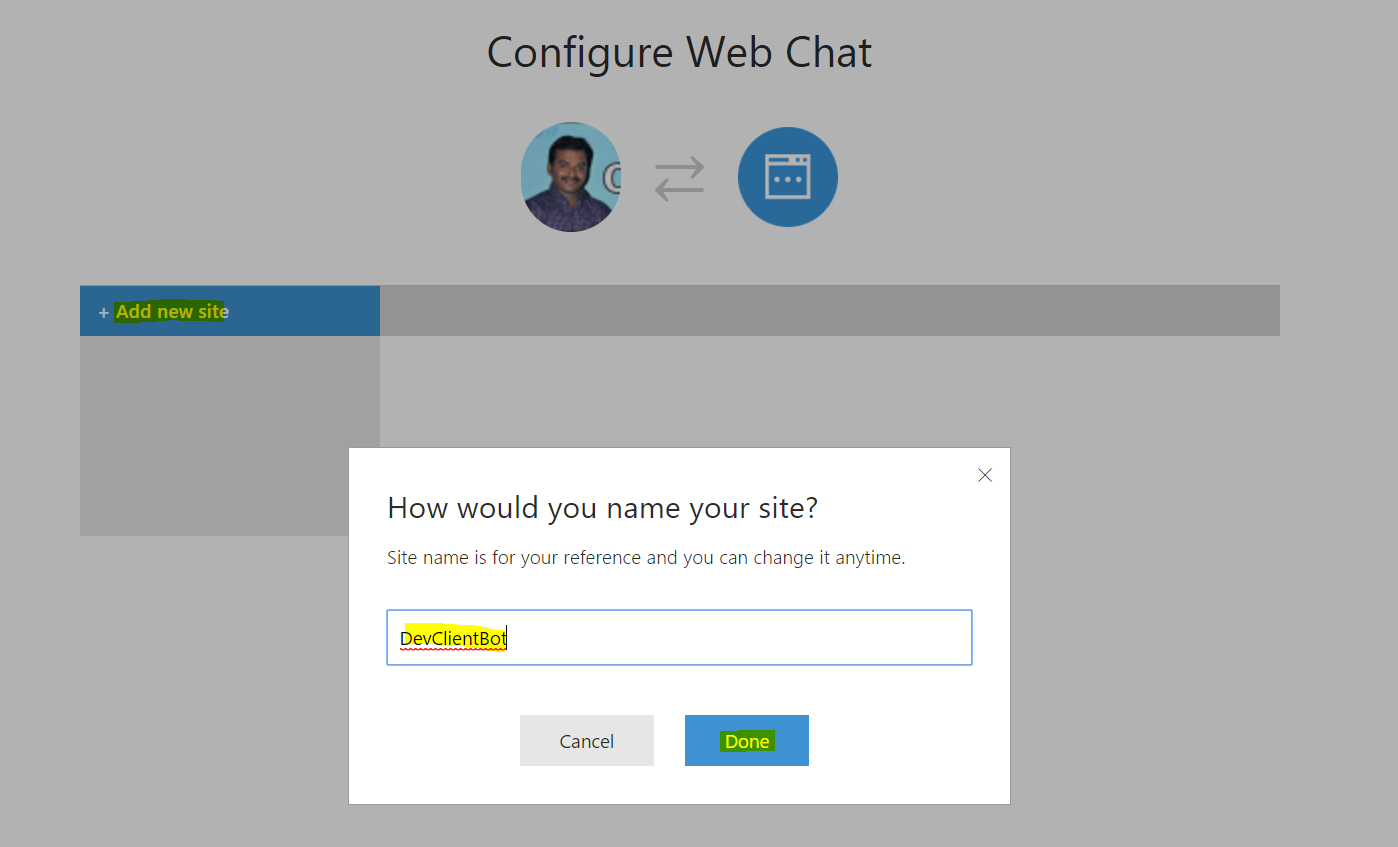
Step 6:
You can copy your secret keys and embed code for integrate to xamarin forms application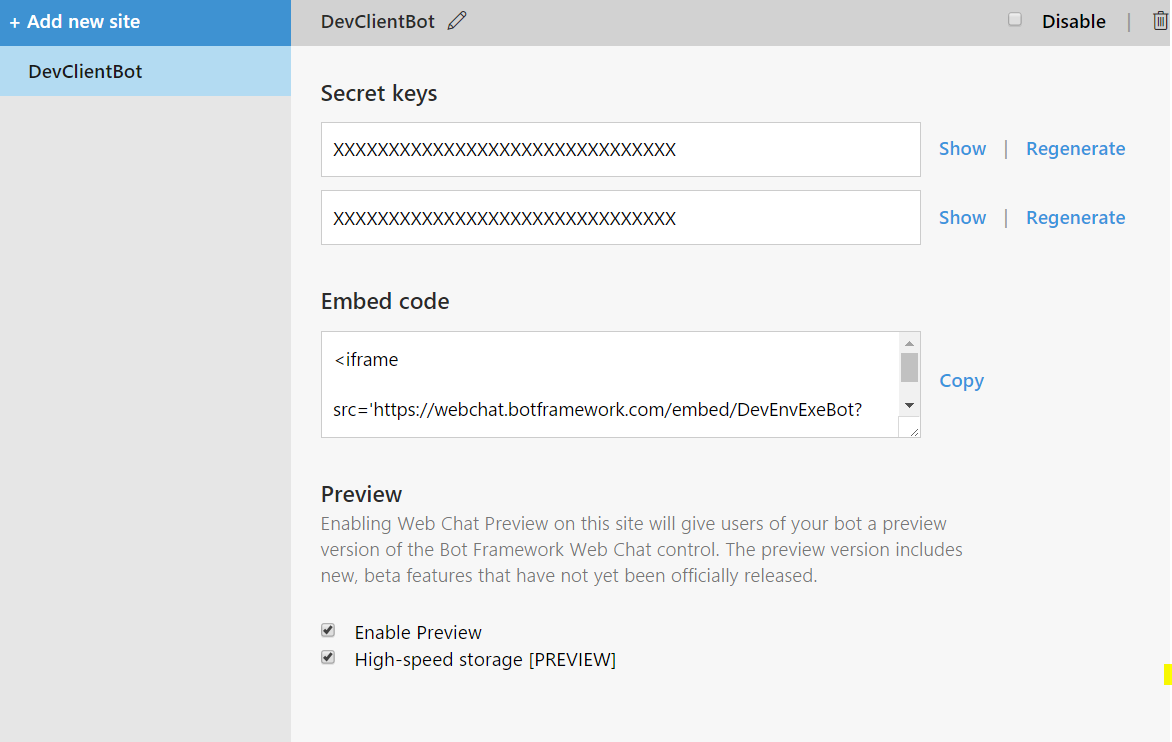
Create new Xamarin .Forms Application :
Go to Run (Windows key +R) > type Devenv.exe or select from Windows Application list and select New project from File menu > New Project (ctrl +Shift+N) or click More project template from VS Start screen.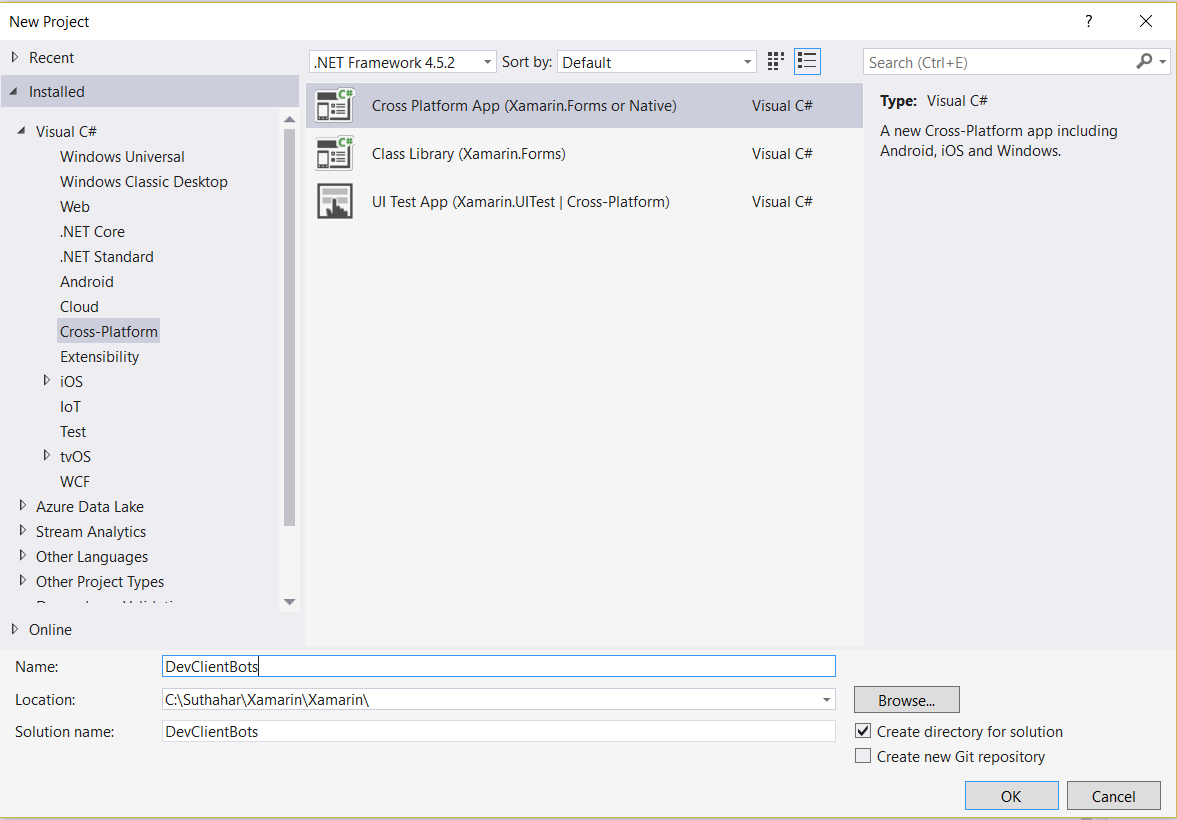
New Project >select Cross -Platform from Template > Cross platform App(Xamarin.Forms or native). It will show the screen, as shown below.
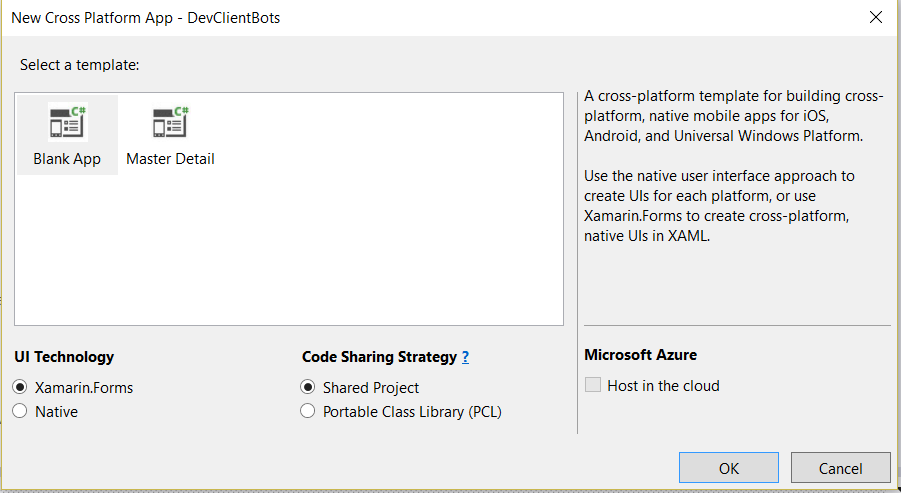
You can find above screen only on VS 2017. Select Blank apps > select Xamarin.Forms > Select PCL and click on Ok .it will generate all the mobile platform project with PC
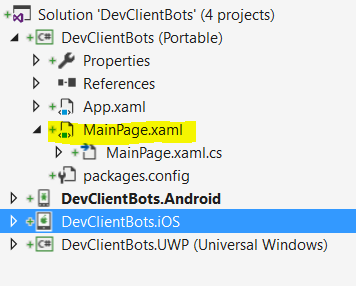
Open your MainPage.xaml file add webview control with following code for web chat enable
<StackLayout WidthRequest="300" HeightRequest="500" >
<Image Source="profile.png" WidthRequest="200" HeightRequest="200"></Image>
<Label Text="Live Chat with Suthahar via C Sharp corner" FontSize="20" ></Label>
<WebView x:Name="webview" Source="https://webchat.botframework.com/embed/DevEnvExeBot?s=8XGcUROXkAA.cwA.pZo.8pJ-6oQ3sJRpxq0tqIo9uLPji4oxBQuz2pW5qWobw2c"
WidthRequest="300" HeightRequest=" 300"></WebView>
</StackLayout>
Now you can run the application in windows ,Android and iOS
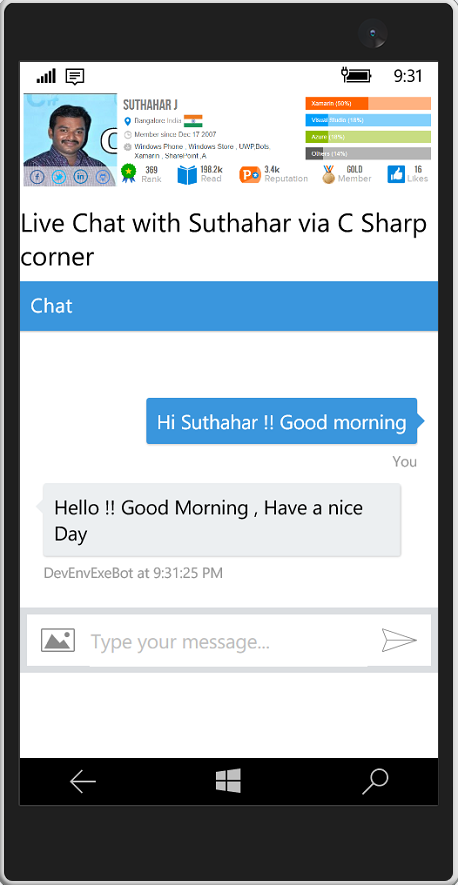
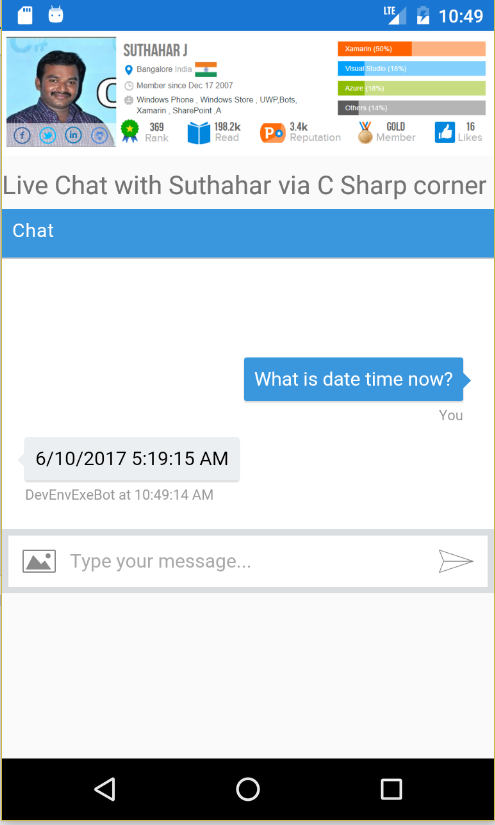
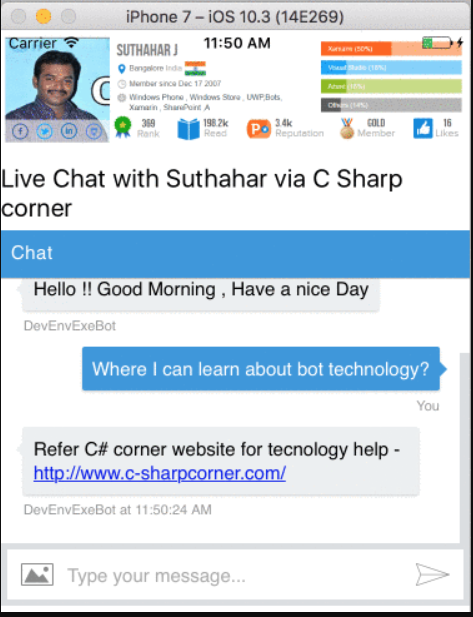
Download
You can download the complete source code from MSDN sample.
Excellent incredible blog layout! How long have you been blogging for? you make running a blog look easy. The overall glance of your website is magnificent, let alone the content!
ReplyDeleteChatbot Company in India
Chatbot Company in Chennai
Chatbot Development Company in Chennai
Chatbot in Chennai
Chatbot Development in Lucknow India,
ReplyDeleteChatbot Builder Lucknow India,
ChatBots Development Services in Lucknow India,
Chatbot Development in India, USA, UK,
Chatbot Vendors in Lucknow India,
Hire Best Chatbot Developers in Lucknow India,
We have to thank and share such a nice blog post and interesting information. It is helpful for develop my knowledge, people always searching for this type of posts.
ReplyDeleteChatbot Developers in Dubai
Facebook Chatbot in Dubai
AI Chatbot in Dubai
Artificial intelligence Company in Dubai
I was looking at some of your posts on this website and I conceive this web site is really instructive! Keep putting up.. chatbot website
ReplyDeleteInformative and interesting Blog! Beautifully written, as usual, I like the post. Thank you so much for nice sharing with us. Keep posting! Chatbot Development for Business
ReplyDeleteThis comment has been removed by the author.
ReplyDelete
ReplyDeleteHey,
This is really very helpful information.
Thanks for sharing!!
Hire Xamarin Developer
This is a wonderful article, Given so much info in it, These type of articles keeps the users interest in the website, and keep on sharing more ... good luckphone price bd
ReplyDeleteThere is so much in this article that I would never have thought of on my own. Your content gives readers things to think about in an interesting way.teatv apk download
ReplyDeleteHey!
ReplyDeleteWhat an awesome post! This is so chock full of useful information I can’t wait to dig deep and start utilizing the resources u have given me. Your exuberance is refreshing.
Thank you so much
Other Services:
Software Development And Advertising Agency
Web Development Company In Lucknow
Web Development Company In Lucknow
Software Development Company In Lucknow
Mobile App Development Company In Lucknow
I found this post useful.
ReplyDelete