Introduction:
Visual Studio 2017 successfully was launched on march 7 2017 with many fresh and exciting features for Visual Studio developers. On February 24, 2016 Xamarin and Microsoft announced that Microsoft signed a definitive agreement to acquire Xamarin . Microsoft Build 2016 announced that they will open-source the Xamarin SDK and that they will bundle it as a free tool within Visual Studio's integrated development environment.
Now We are celebrating our Visual Studio 20th anniversary and one year anniversary and release Visual studio 2017 with many features.

In this article, I will share Visual studio 2017 Xamarin project template, Cloud Storage template, Xamarin Forms preview.
Download and Install Visual Studio 2017:
Download Visual Studio 2017 from following url by March 14 and get free 60-day access to Xamarin University.
- Download Visual Studio 2017 from here https://www.visualstudio.com/downloads/?utm_source=mscom&utm_campaign=msdocs
- Refer Visual Studio 2017 System requirement from here
Create New Xamarin Project:
After successfully install Visual studio 2017, Go to Run (Windows key +R) > type Devenv.exe or Select from windows application list and Select New project from File menu > New Project (ctrl +Shift+N) or Click on more project template from VS Start screen
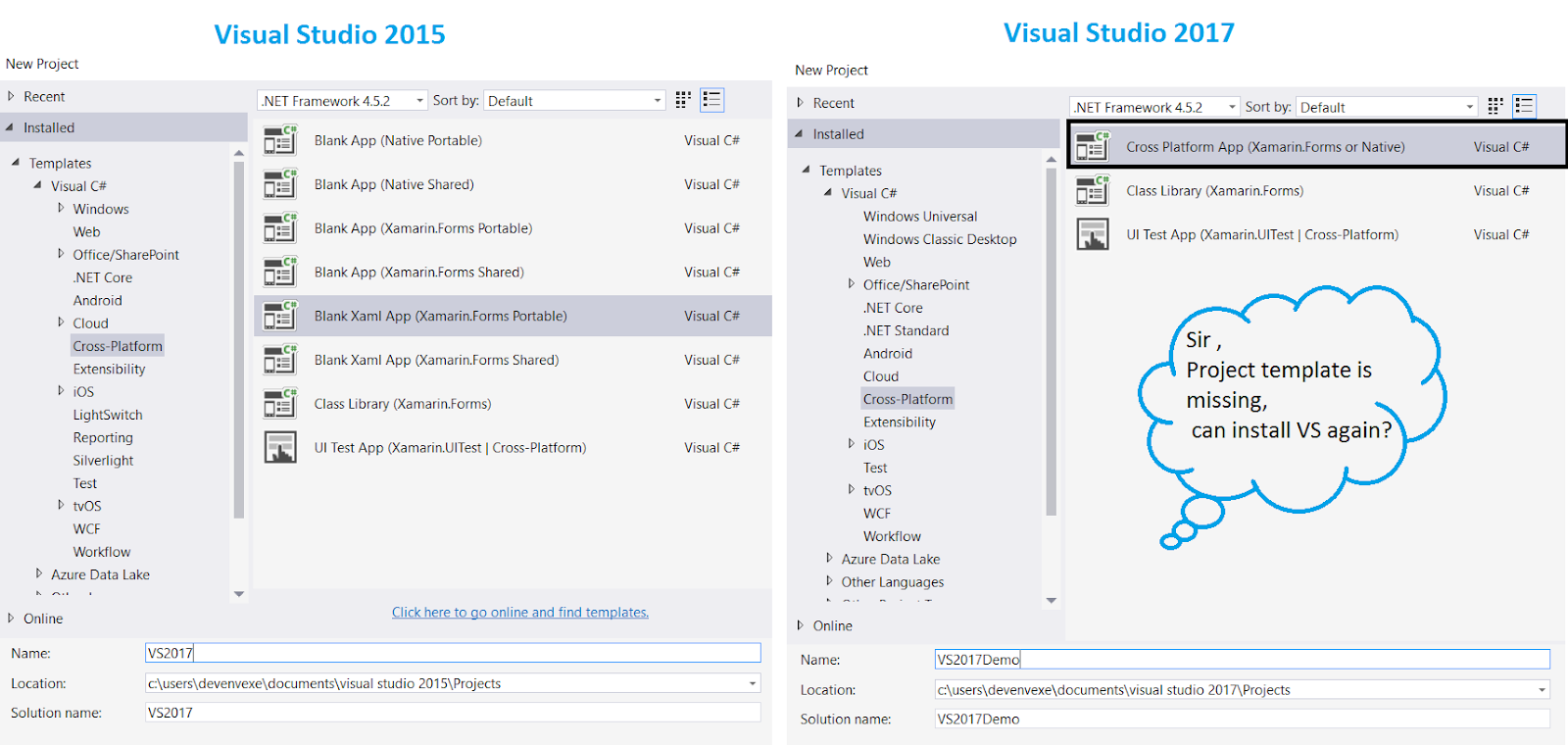
Visual Studio 2017 have different project template so no worry for new project window have only 3 project template. You can follow below steps for create new xamarin forms application using VS 2017
New Project >Select Cross -Platform from Template > Cross platform App(Xamarin.Forms or native) .it will show following screen
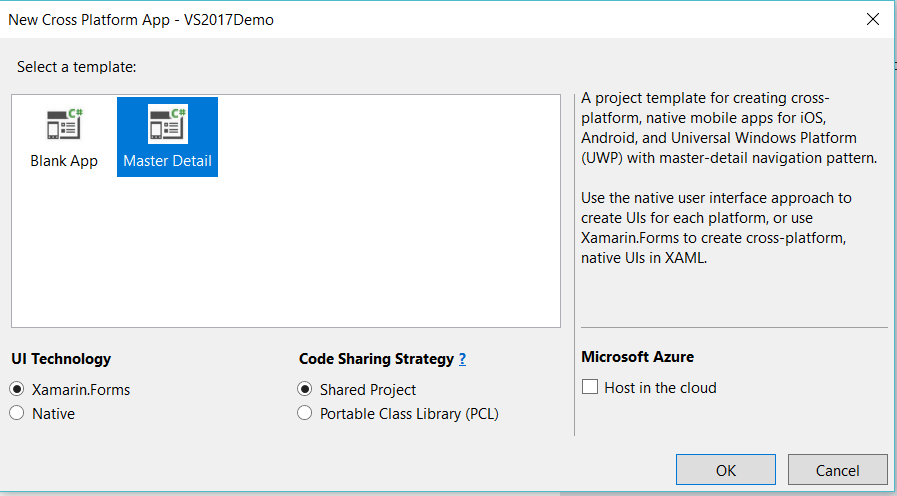
The Xamarin.Forms UI Template, Project template for creating cross platform, native mobile apps for iOS,Android ,UWP and Select Blank UI or master detail menu using xamarin Forms UI .
The Native UI, native user interface approach to create UI for each platform.
The Host in the cloud, Cross mobile application automatically integrated with azure cloud storage and create new project for cloud
Xamarin.Forms Previewer:
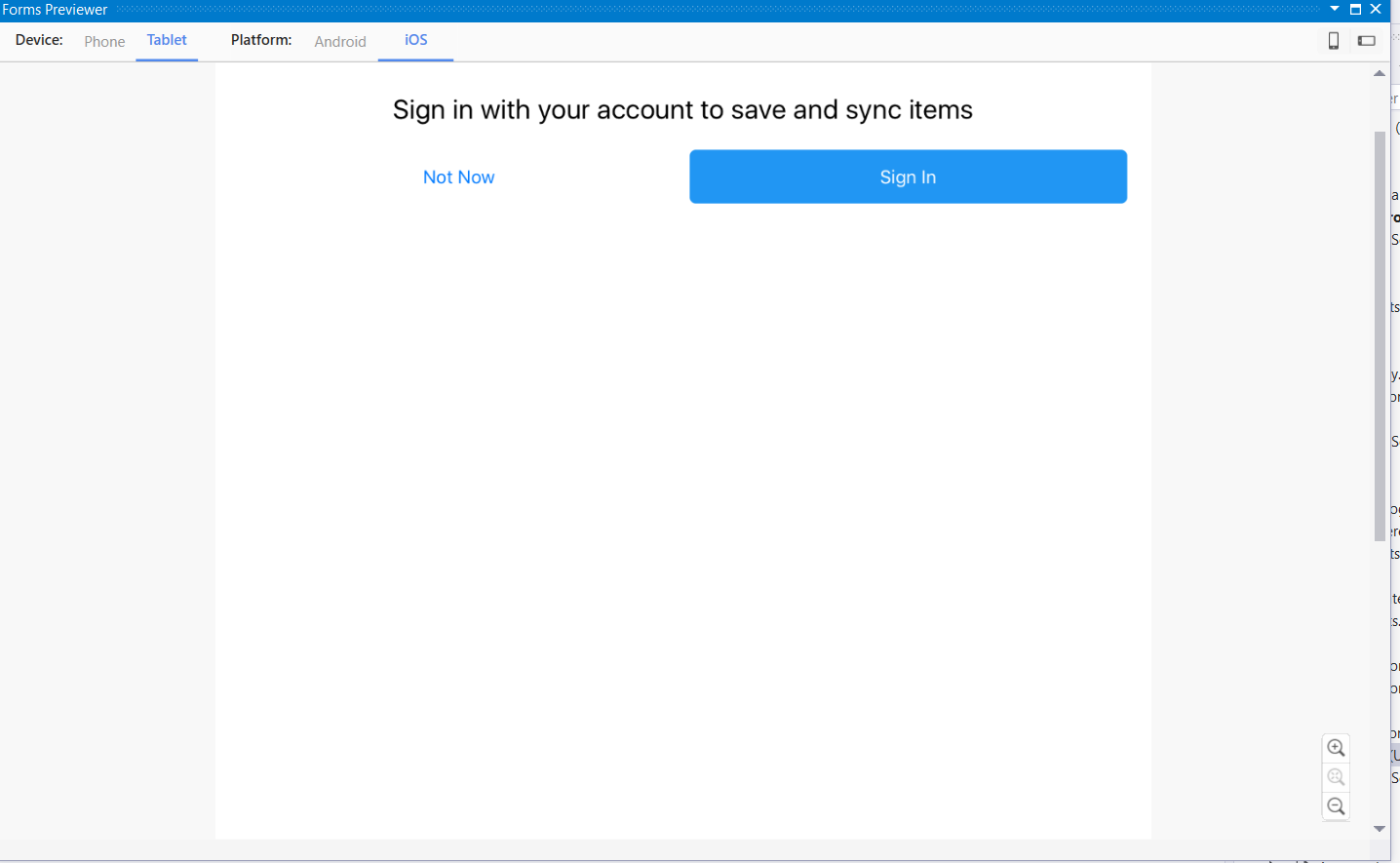
Microsoft and Xamarin team made many enhancements to the xamarin.Forms Previewer from Visual Studio 2017 . You can preview cross mobile application while design xaml based application.
Create New Blank / Master details xamarin form application and open Forms Preview window and activate follow below steps
Step 1: VS 2017 > click on View > Select Other Windows > Select Forms Preview
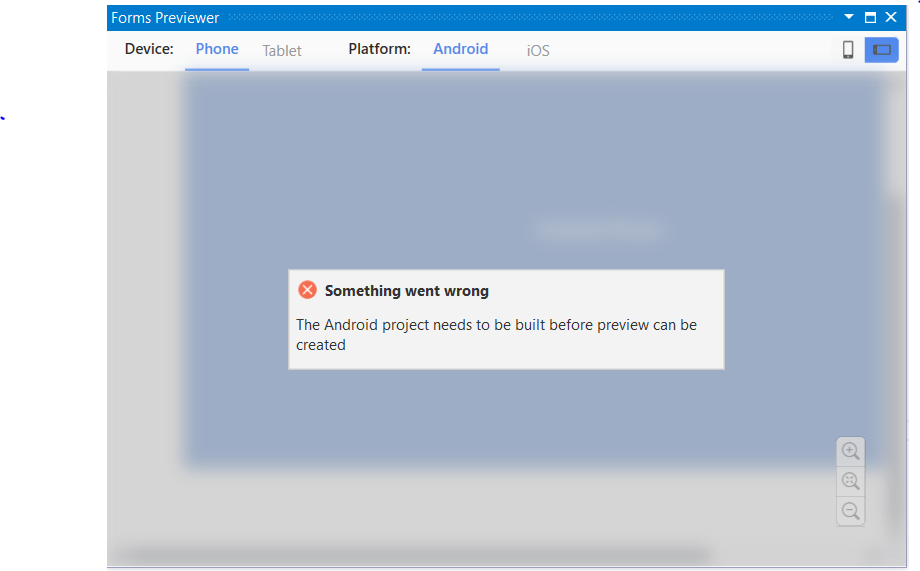
Step 2: The project preview needs to be built before preview the application
Step 3: Android Application preview, be sure that you have the latest Java 1.8 x64 installed from here
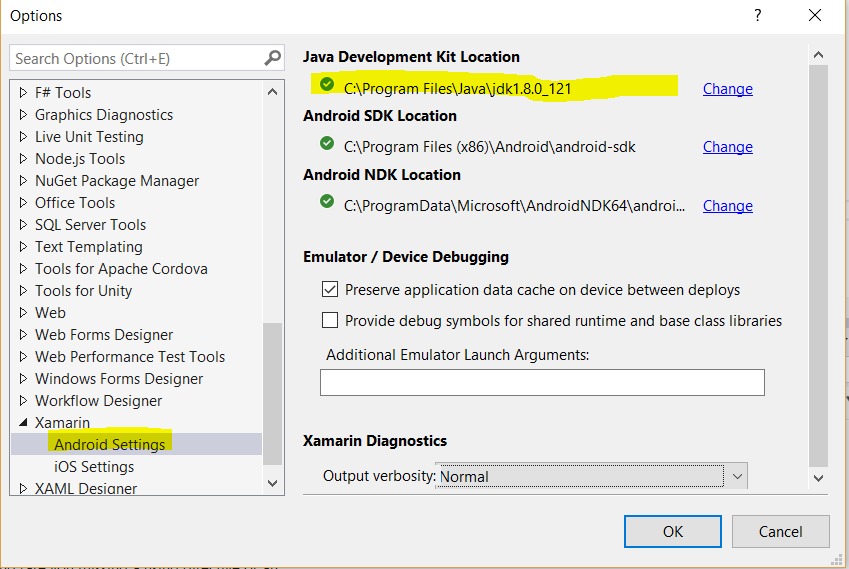
Step 4: install java 1.8 x64 and change to Android JDK path from Visual studio
Goto Tools Menu> Select Options > Xamarin> Android Setting > change Java Development kit location
Step 5: The iOS renderer required an active connection to your mac agent for preview .
Step 6: If you are getting any issue while connecting mac, please make sure xamarin version is same from both machine
Step 7: If you get error like this, this version of Xamarin.iOS requires the iOS 10.2 SDK (shipped with Xcode 8.2) when the managed linker is disabled Either upgrade Xcode, or enable the managed linker. two way we can resolve this issue.
- It appears you have not updated Xcode. Check on your Mac and update xcode.
- Another option would be to choose to 'Link Framework SDKs only' right Click on iOS Project > Property > iOS Build > General tab>Linker Behavior > Link Framework SDKs only
Step8: If your facing any other issue, try closing and re-opening the XAML file and it will get resolve
Host in the cloud:
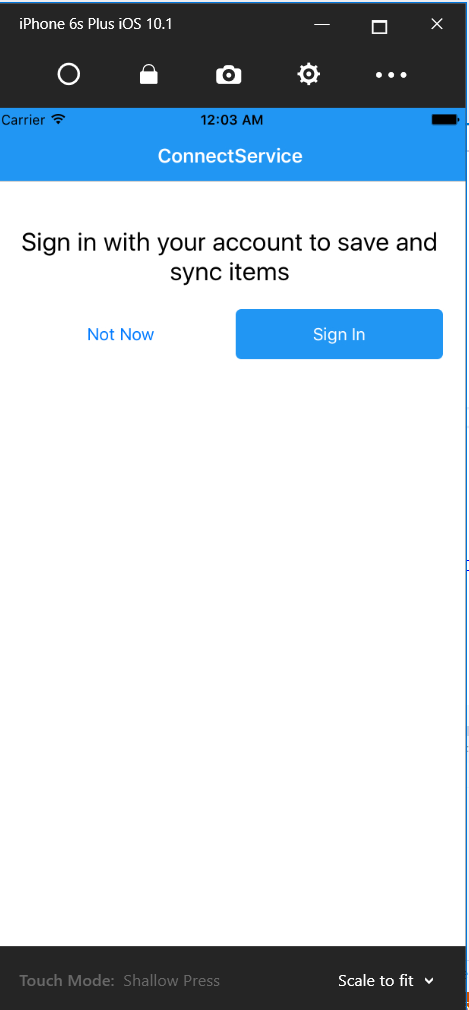
VS 2017 introduced new cloud xamarin template with online and offline storage. Just follow below few steps for create cloud storage app with iOS, Android, and Windows 10 platform. the template includes tabbed navigation, MVVM, settings, and more. You can follow below steps for Host in the cloud.
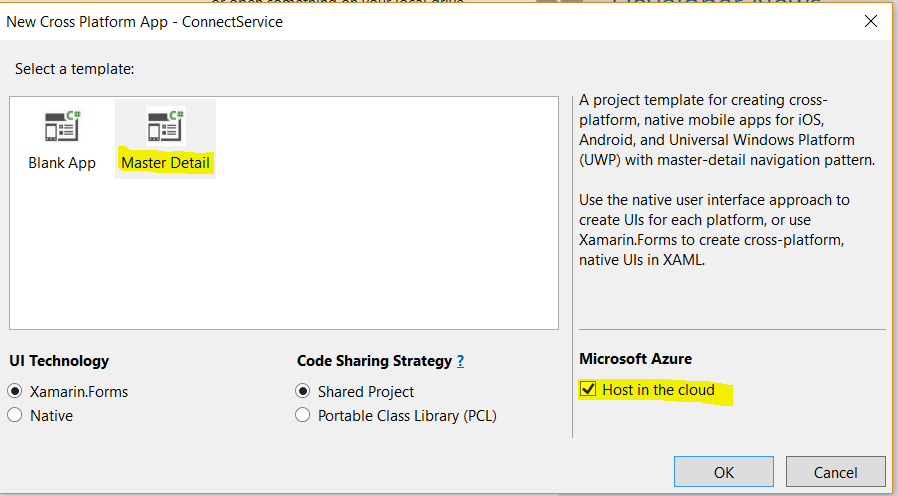
Step 1: Select master detail template.
Step 2: Select “Host in the cloud” and click on Okay
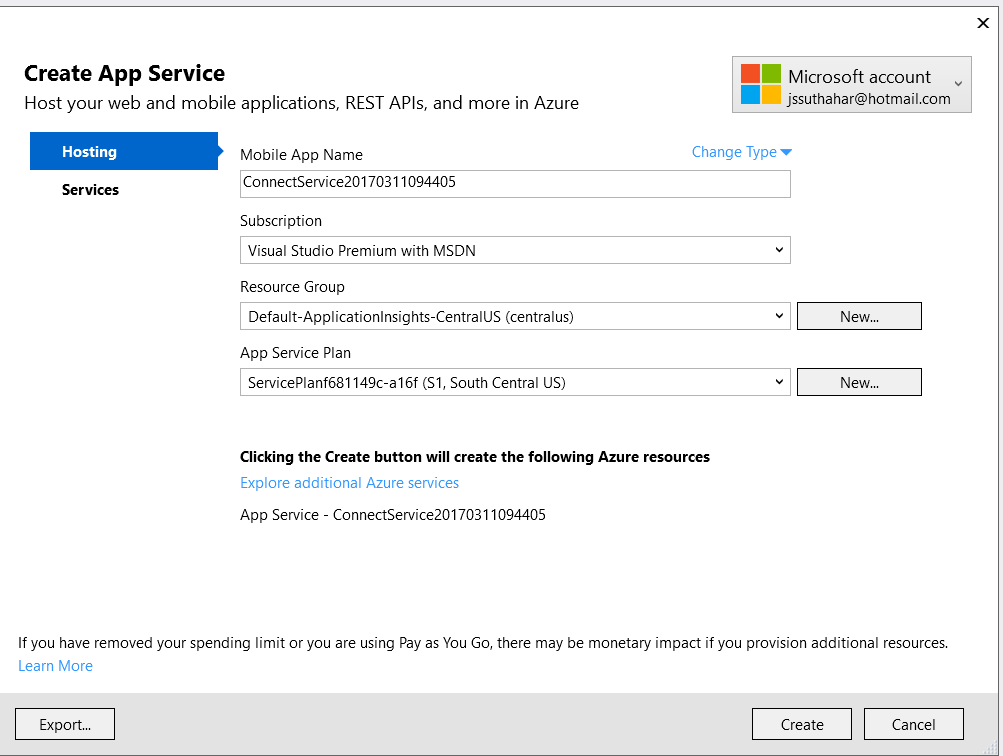
Step3: Create / Login Azure Account and configure the application and Click on Create
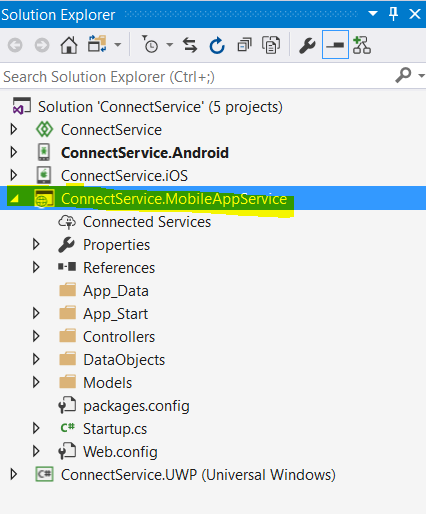
Step 4: you can refer following solution structure .its automatically MobileAppService added
And debug and run application
If you have any question /feedback /issue, write in the comment box.
Hi,
ReplyDeleteWonderful information. Thanks.
I have a question , how to send data in XML/JSON format from Android mobile to another webapi.
Can you reply it?
Thanks in advance.
Hire Xamarin Developer