Azure

Getting started with the Video Indexer using Microsoft Cognitive Services

By   Friday, March 30, 2018 comments
reads
React:

Introduction:

Microsoft introduced the public preview of video indexer as part of cognitive service. previously its Video API now its replaced into Video Indexer. Video Indexer automatically extract metadata and build intelligent innovative application based Video and audio.
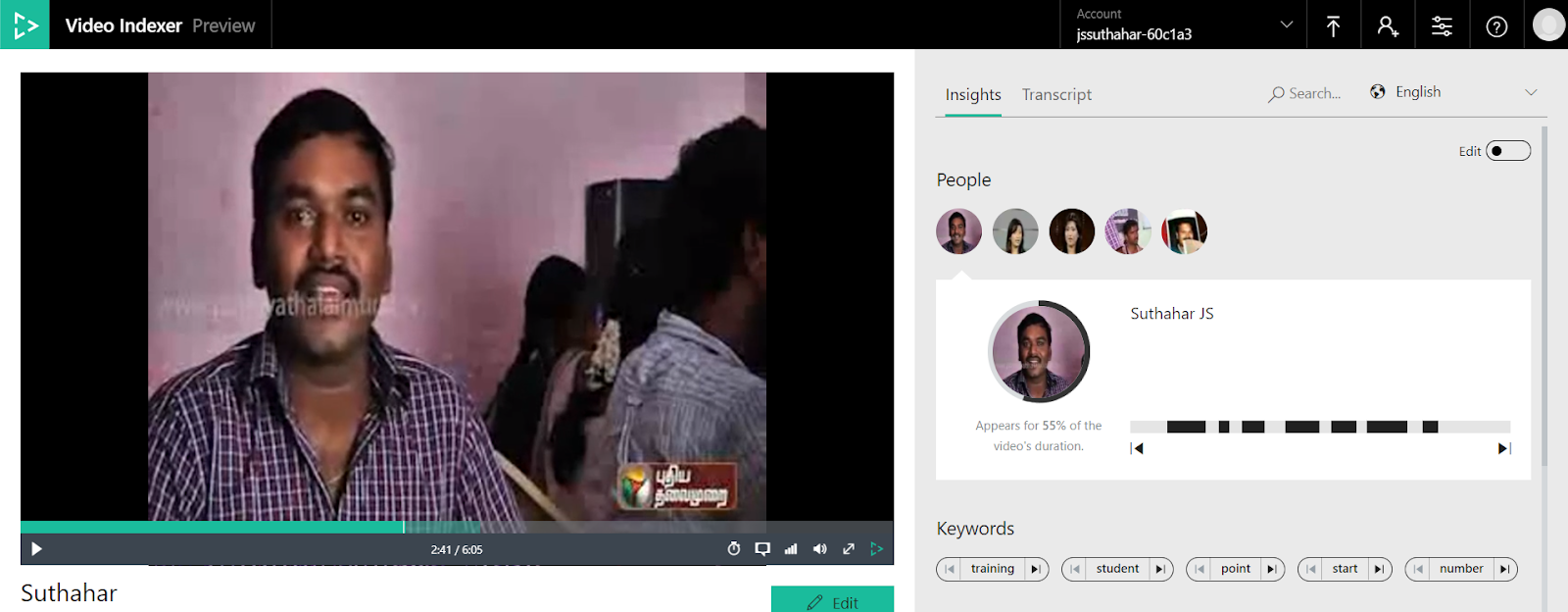

In this article, I will share how to sign in to video Indexer and upload your video and extracting the meta data and translation.

Create Account:

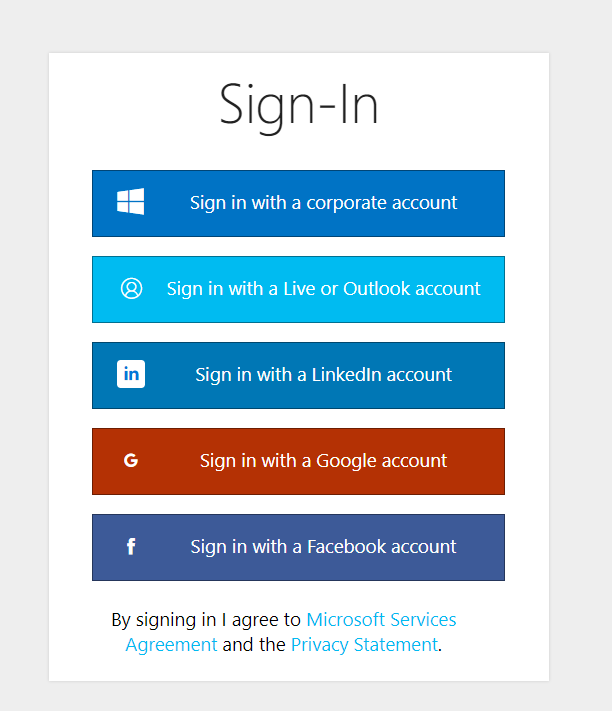
The developing video indexer application, you must login or create account using any of one below account Azure active directory, Microsoft Scholl account, LinkedIn, google or Facebook to Microsoft VI.
Upload Video:

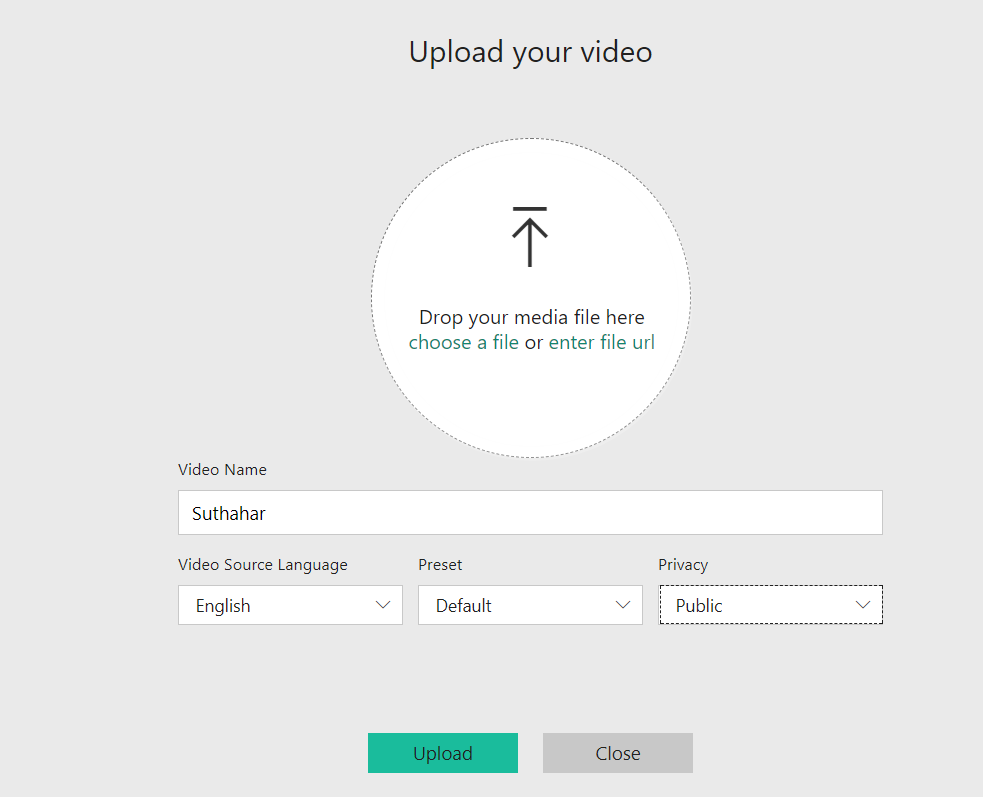
We need to upload video into MS video Indexer portal, after login, select Upload and Drag drop your video file or provide video web URL for upload to the portal Provide basic details about video file name, language and privacy setting and click on upload button .


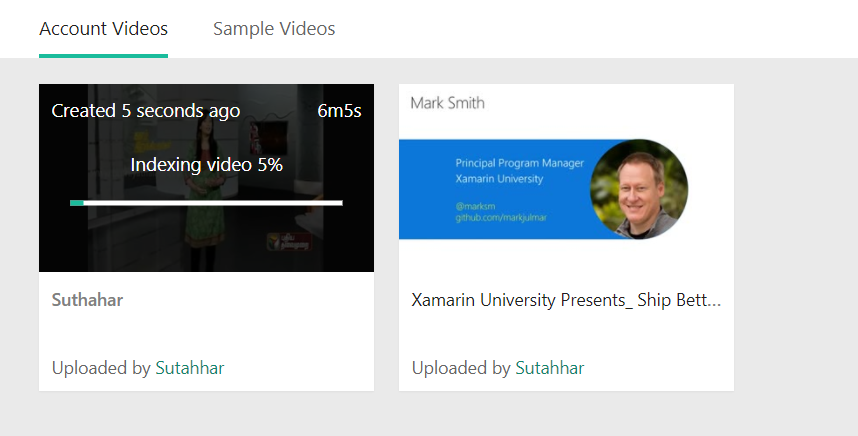
After uploaded video to the portal, Microsoft VI will do process for analyzing and indexing the video.

Once video indexer is done the analyze, you will get email notification with link of video, short description and people face detection.
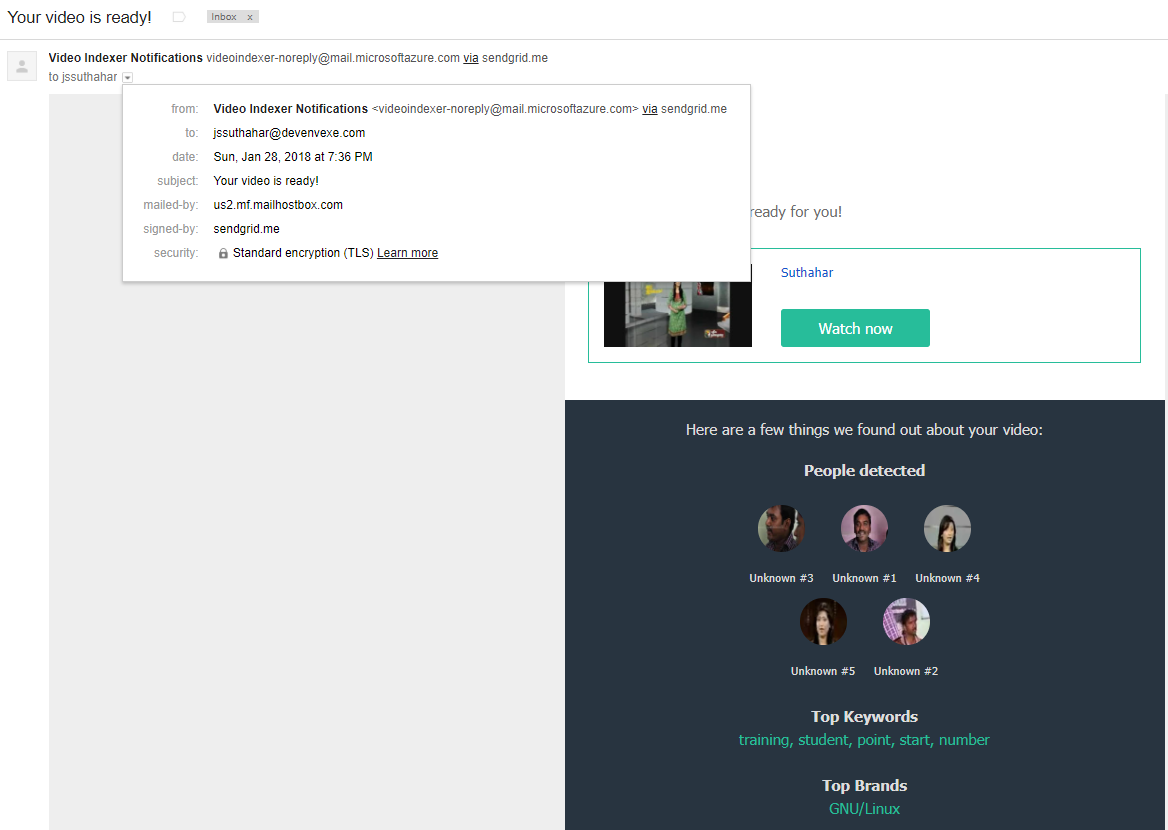


You can edit the privacy setting from the portal and Microsoft cognitive service will return following analyze report.

Face identification:

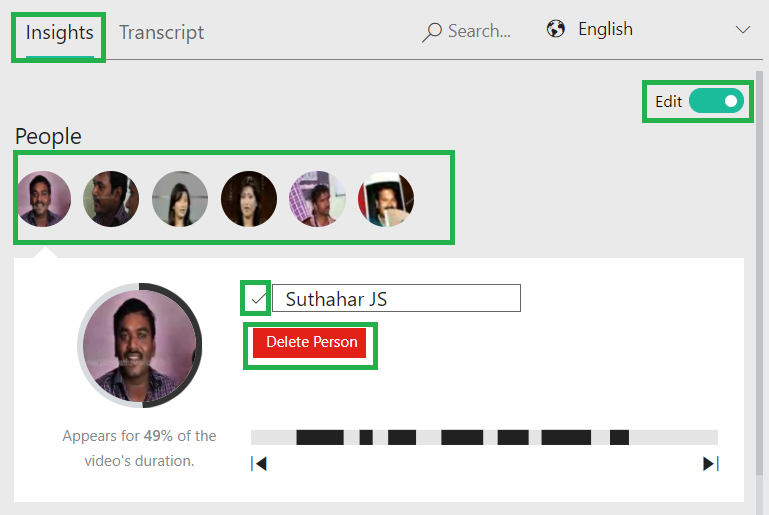
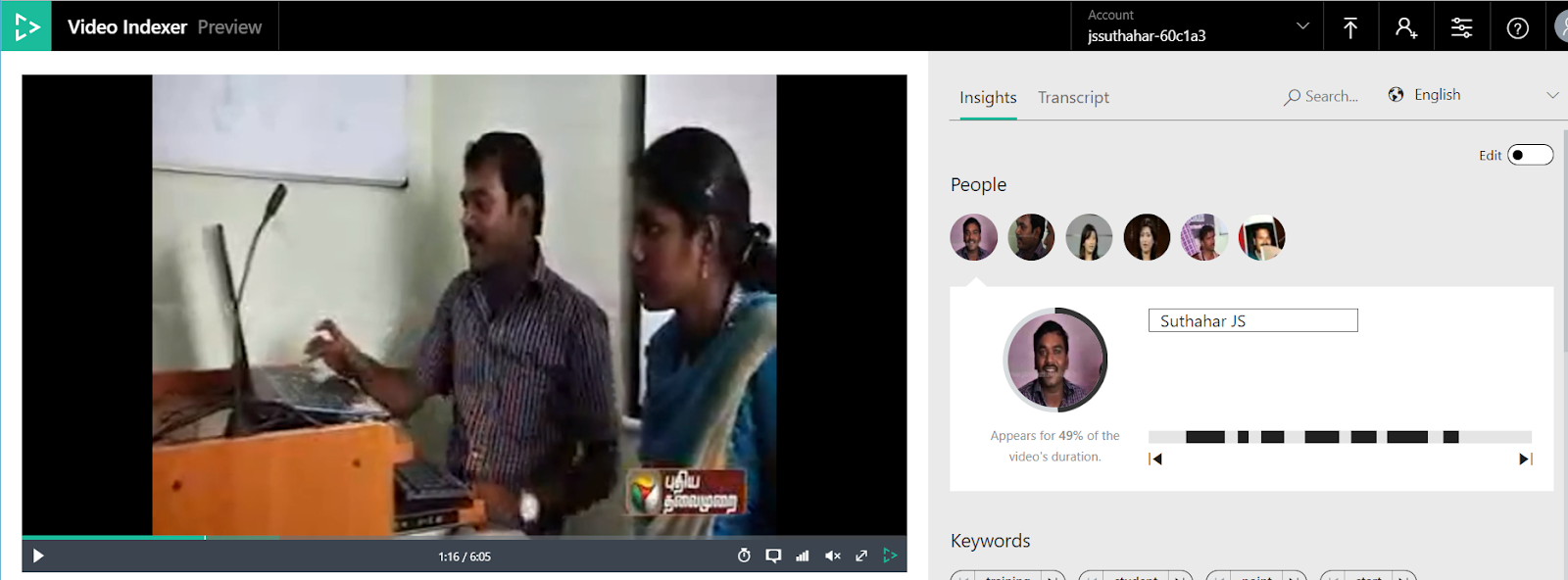
Microsoft AI will help detection of faces in a Video. The faces are matched against a celebrity, it will identify the matched name or user can also edit label faces that do not match the celebrity.

Speech to Text:

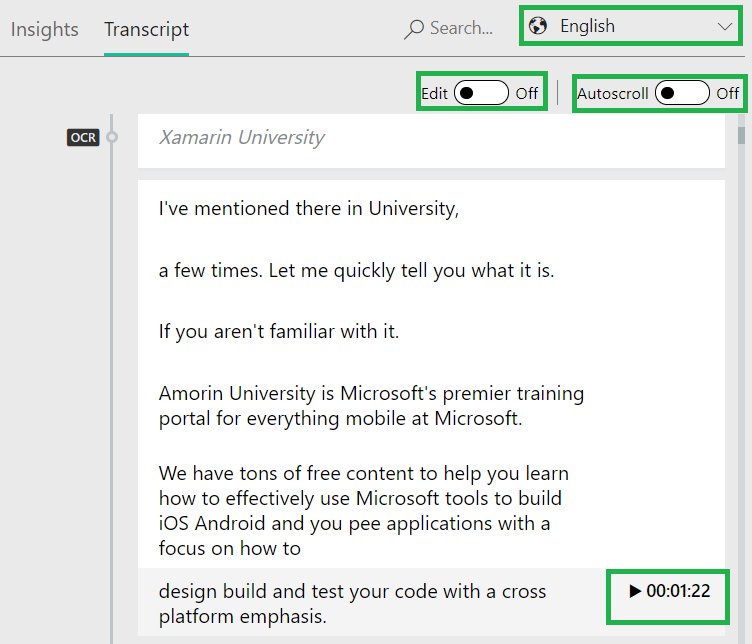
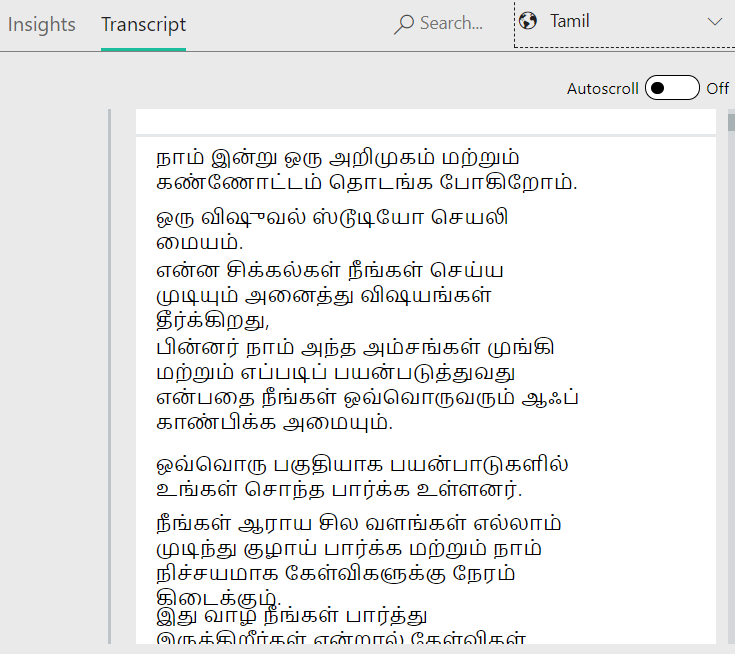
The Microsoft Video Indexer has speech to text functionality, this will help user to transcript to spoken language .it will support Tamil, English, Hindi, etc. and also you can edit the text . Video Indexer has the ability to map and understand which speaker spoke which words and when.

Identify Objects:

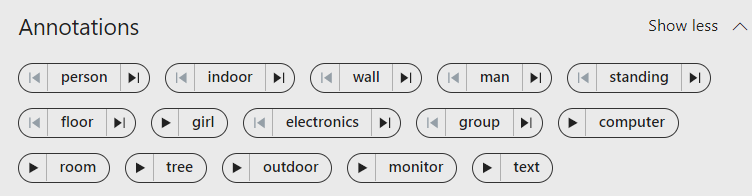
Video Indexer identify the pre-defined 2000 objects based on video background.
 

Keyword Extractions:

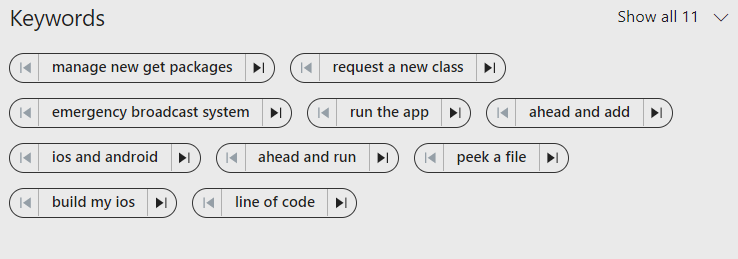
The meta keyword will help for search the video into the large library. Video Indexer extracts keywords based on the transcript of the spoken words and text recognized by visual text recognizer.

Sentiment analysis:

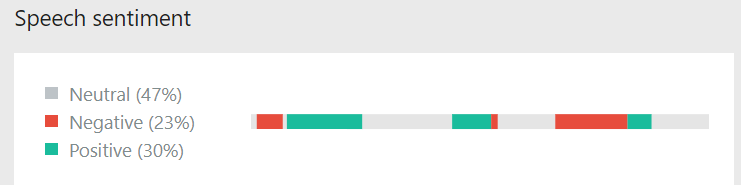
Video Indexer performs sentiment analysis on the text extracted using speech-to-text and optical character recognition, and provide that information in the form of positive, negative of neutral sentiments, along with timecodes.

Translation:

Video Indexer has the ability to translate the audio transcript from one language to another. Video Indexer will supported following multiple language like Tamil, English, Spanish, etc.. 


Once Video Indexer is done the processing and analyzing video , you can review , edit ,delete and publish the video into the Microsoft VI Portal .


Summary

In this article, you learned how to sign in to video Indexer and upload the video and extracting the meta data and translation. If you have any questions/feedback/ issues, please write in the comment box.
SJ
Suthahar Jegatheesan

Senior Solutions Architect · Microsoft Azure, AI & Mobile. Author of the Xamarin Q&A Book.

More in this series

No comments:

sponsored

What Colleagues Say

“Suthahar is one of the most thorough and knowledgeable cloud architects I’ve worked with. His depth on Azure and ability to make complex mobile solutions work cross-platform is remarkable. He always delivers beyond expectations.”

AT Arun T. Senior Engineering Manager · Direct Manager

“I’ve followed Suthahar’s MSDEVBUILD blog for years — practical, deep, always current. Working alongside him confirmed what I suspected: he’s as sharp in person as on paper, and a genuinely generous mentor and architect.”

RK Rajesh K. Lead Developer · Mindtree

Certifications & Recognition

AZ-300 · Azure Architect Technologies AZ-301 · Azure Architect Design AZ-104 · Azure Administrator Associate AI-100 · Designing Azure AI Solutions DP-900 · Azure Data Fundamentals MCPD · Windows Phone Certified SAFe® 4 Scrum Master

Technical Expertise

☁ Cloud Platforms Microsoft Azure — Expert · 18 yrs App Services · AKS · Functions · Cosmos DB · APIM · Entra ID AWS & Google Cloud — Advanced
πŸ€– AI & Automation Azure OpenAI / GenAI — Advanced · 5 yrs RAG Pipelines · Bot Framework · Cognitive Services · Vision & Speech AI · ML.NET
πŸ“± Mobile Architecture .NET MAUI & Xamarin — Expert · 12 yrs Flutter · Native iOS/Android · Offline-First · Secure Storage & Auth
πŸ”’ Identity & Security Microsoft Entra ID — Expert OAuth 2.0 · OIDC · Zero Trust · Conditional Access · RBAC · Key Vault

Speaking & Community

Microsoft User Group Malaysia Recurring speaker on Azure architecture, AI integration and .NET mobile development across Malaysia and APAC.
Global Azure Bootcamp — Chennai Presented “AI into Xamarin Mobile Apps” at GAB Chennai, part of the worldwide Global Azure community event.
AI & Azure OpenAI Community Events Workshops and live demos on RAG pipelines, AI agents and intelligent workflow automation since 2023.
Mobile & Cloud Workshops — Coimbatore Multi-day deep-dive sessions at GRG Computer Technology, KG Microsoft Innovation Center and RVS College of Arts and Science.
500+Blog Articles
50+Conference Talks
10K+Monthly Readers
30Public Repositories
3Continents Delivered
MSDEVBUILD Assistant Ask about Suthahar, Azure, AI or mentorship
Hi! I’m a simple FAQ bot for MSDEVBUILD. Tap a question below or type your own.