Introduction:
The Bot Application runs inside an application, like Skype, web chat, Facebook, Message, etc. Users can interact with bots by sending them messages, commands, and inline requests. You control your bots using HTTPS requests to the bot API. In this Article, I am going to show how we can connect Facebook messengers’ channel and integrate Bot Application to the messengers App.
Create FAQ Bot Application:
You can refer my previews article to create and build a Xamarin FAQ Bot using Azure Bot Service and deploy it into Azure. I am not using any coding for develop the Bot Application, you can follow the provided steps in the article to create and deploy FAQ Bot.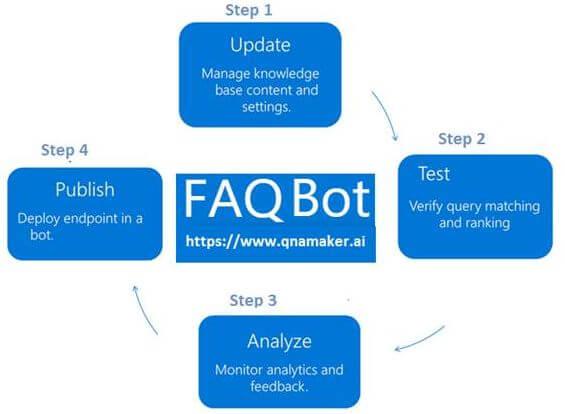
Setup Facebook Page:
We can implement Bot Application to the Facebook page. You can create Facebook page or select existing page and navigate to “About page” for find and copy the Page ID.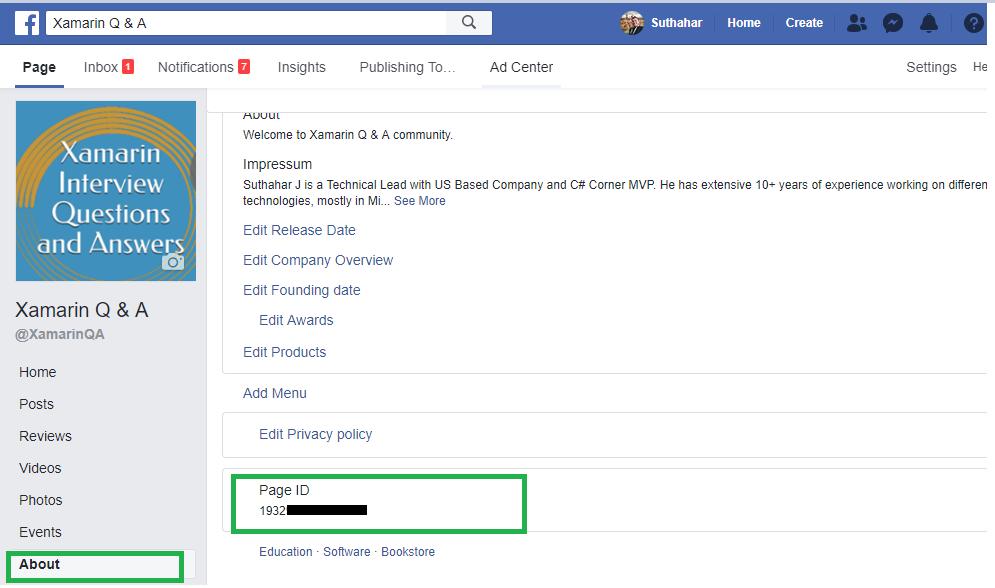
Login to Facebook APP:
Create a new Facebook App (https://bit.ly/1D0BHpg) on the Page and generate an App ID , App Secret and Page Access Token for integrate Bot to the page messenger. You can click on “Skip and Create APP Id” from following screen.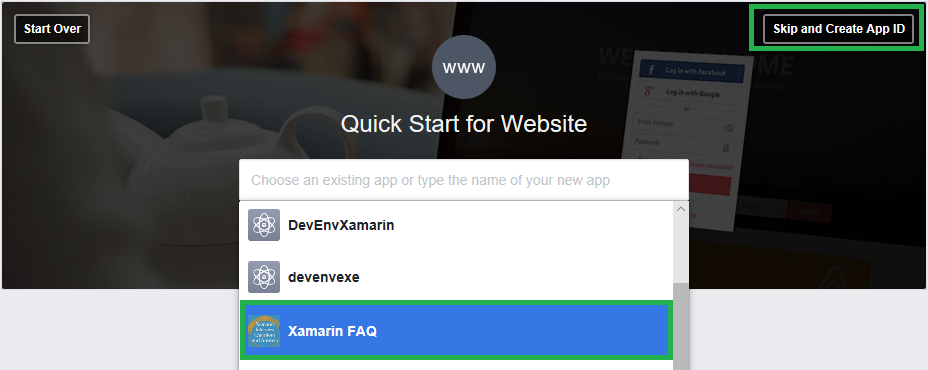
Create New App ID:
Provide display Name and Contact Email for integrate Bot application and Click on Create.

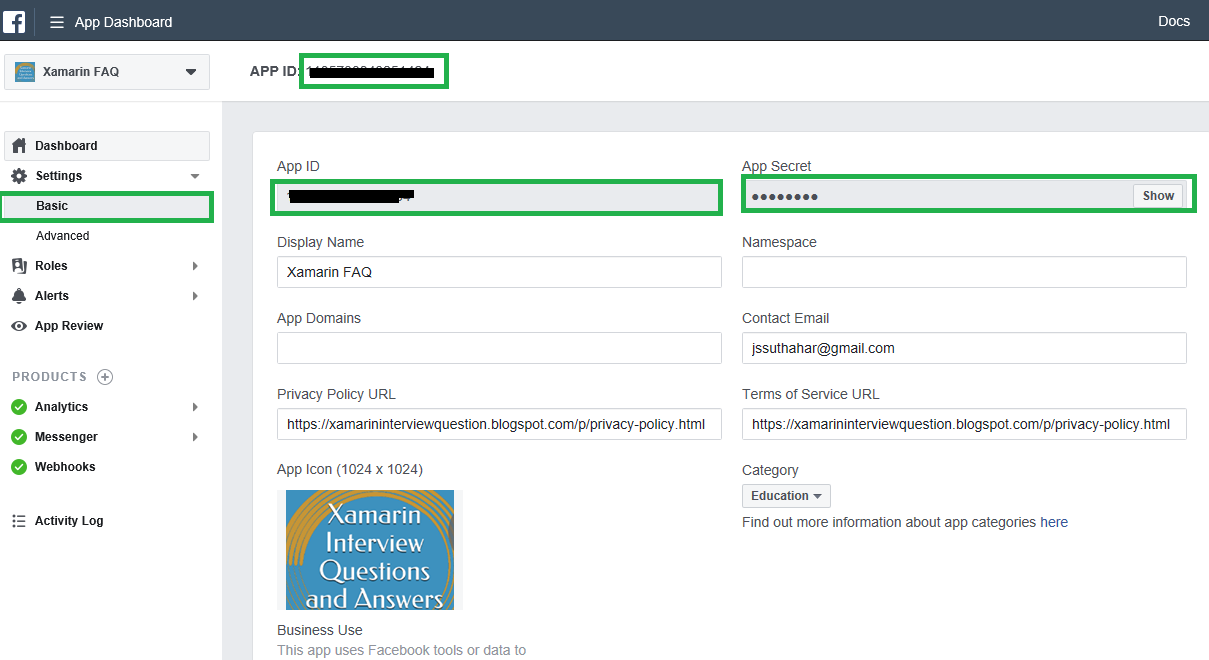
After click on Create button, it will navigate to App dashboard screen. The side navigation menu having Settings > Basic and copy the APPID and APP Secret. Provide the Privacy URL, Terms of Service URL, App icon and Select Category.
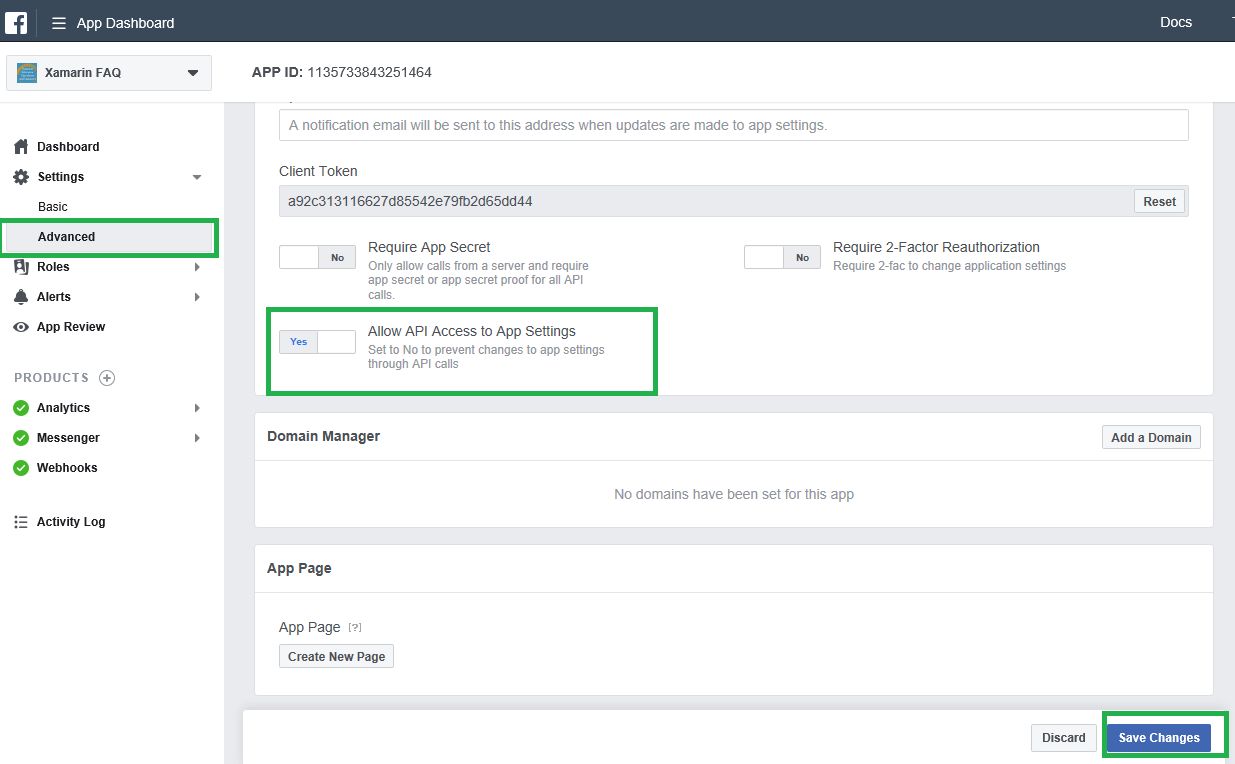
I have shown the following screen to Select Setting > Advanced and Set the "Allow API Access to App Settings slider to "Yes" and click on Save Changes.
 Setup Message:
Select Dashboard and Click on Setup button from messenger group 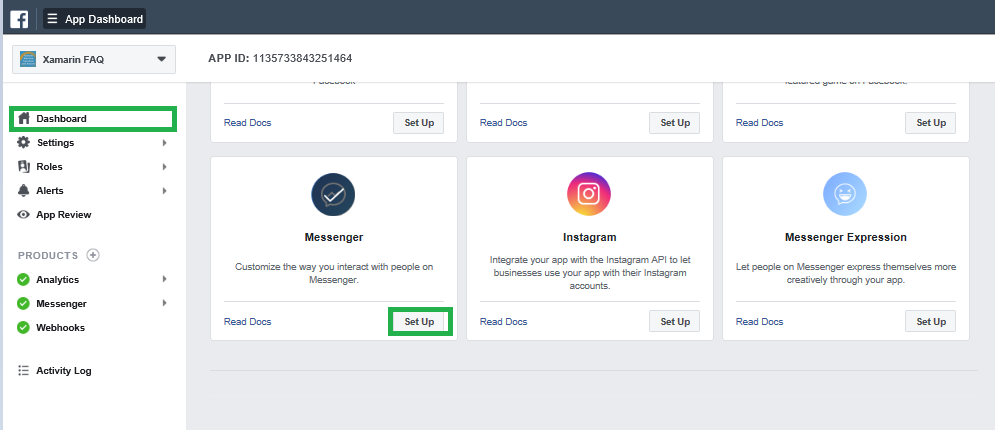
Create Page Access Token:
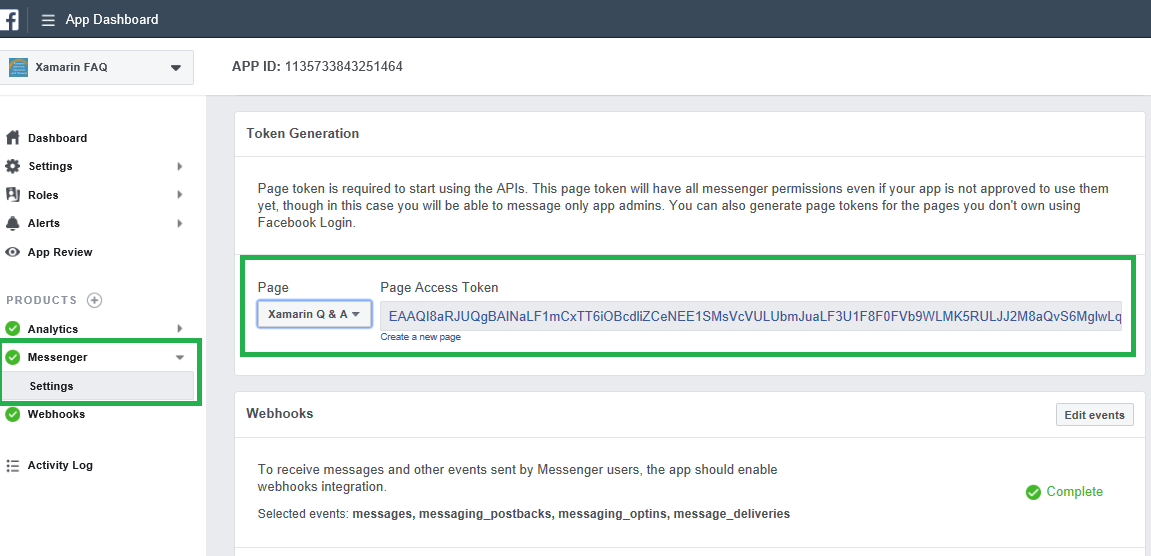
Select Setting from messenger side navigation menu to generate token, you can select the Page and generate access token and copy the page access token.
 Setup Webhooks:
Click Set up Webhooks to forward messaging events from Facebook Messenger to the bot.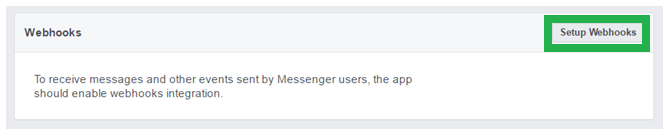
Provide following callback URL and Verify token to the webhooks setup page and select the message, message_postbacks, messaging_optins and message_deliveries subscription fields. The following Steps 2, will show how to generate Callback URL and verify token from Azure portal.
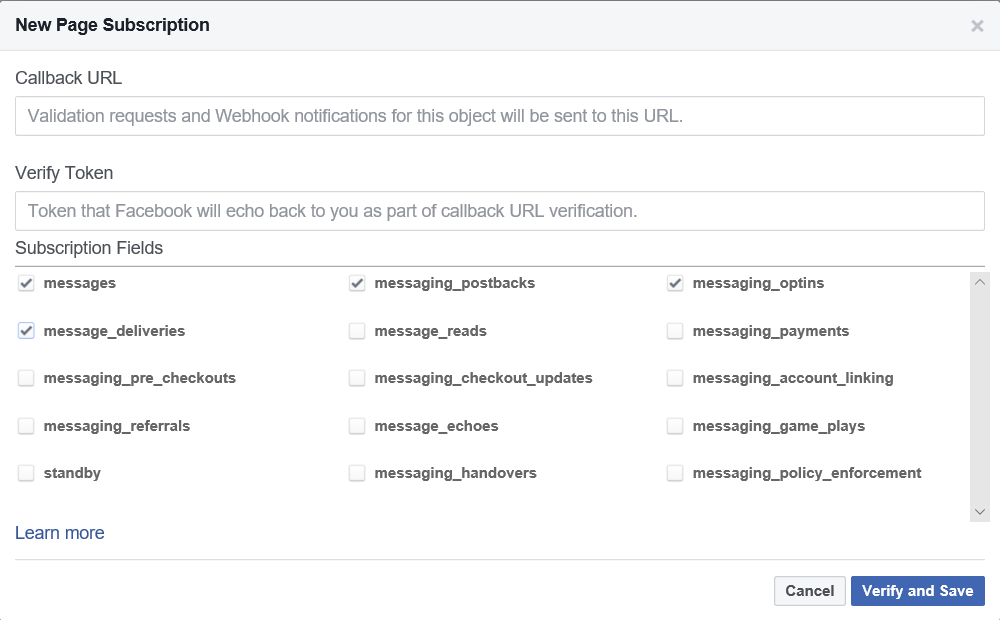
You can click on “Verify and Save “and select the Facebook page to Subscribe the webhook to the Facebook page.

Connect Facebook Channel:
Step 1: Login to Azure portal > Select the “All Resources” > Select Channels > Select Facebook Messengers, let we start configure “Facebook Messengers “Channel and follow below steps, the end of this article you can able to deploy Bot into the Facebook messenger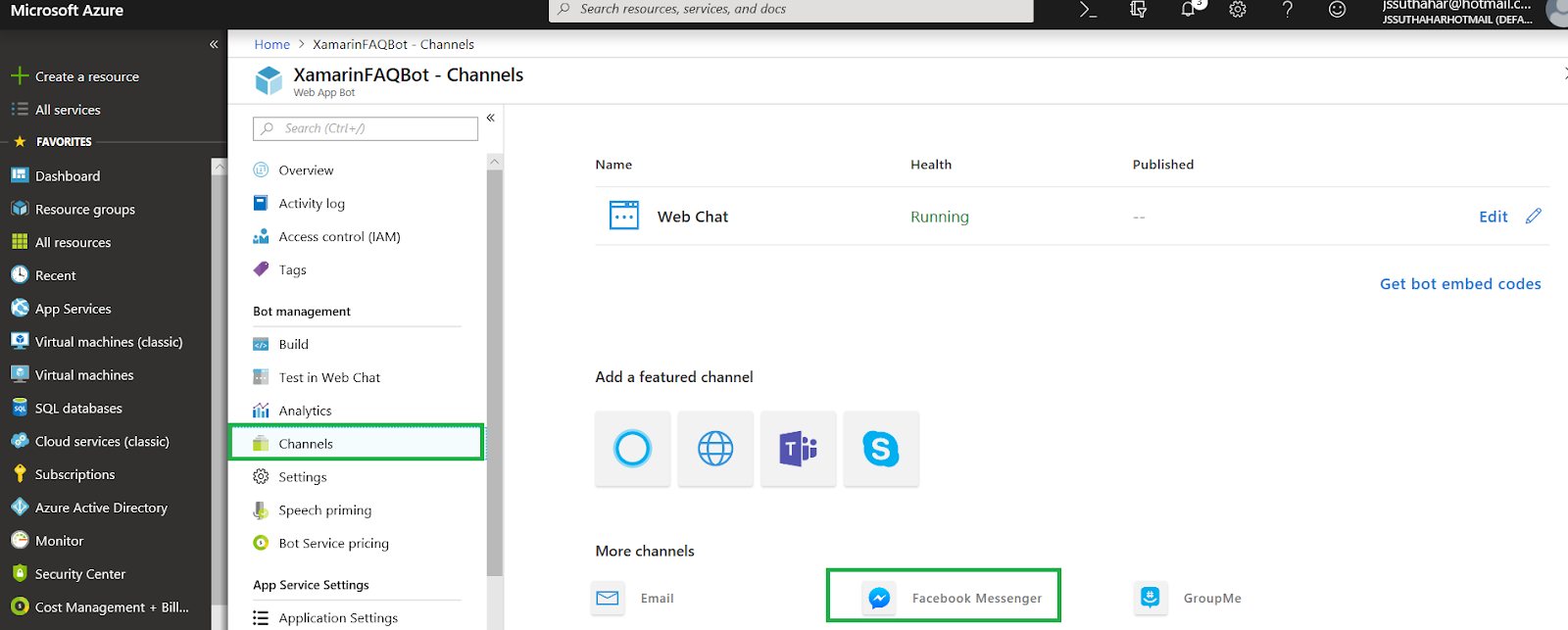
Step 2:
The Azure Facebook configuration channel will generate following Callback URL and verify token, You can copy those information and Past to the Facebook webhook setup screen. (Return to the Facebook messenger setup screen).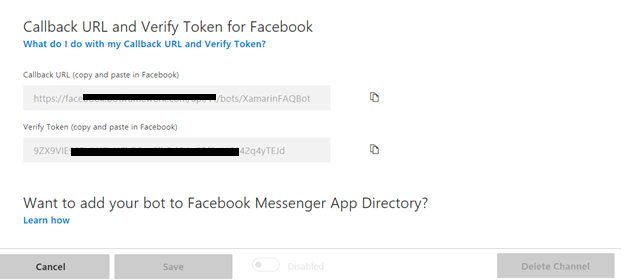
Step 3:
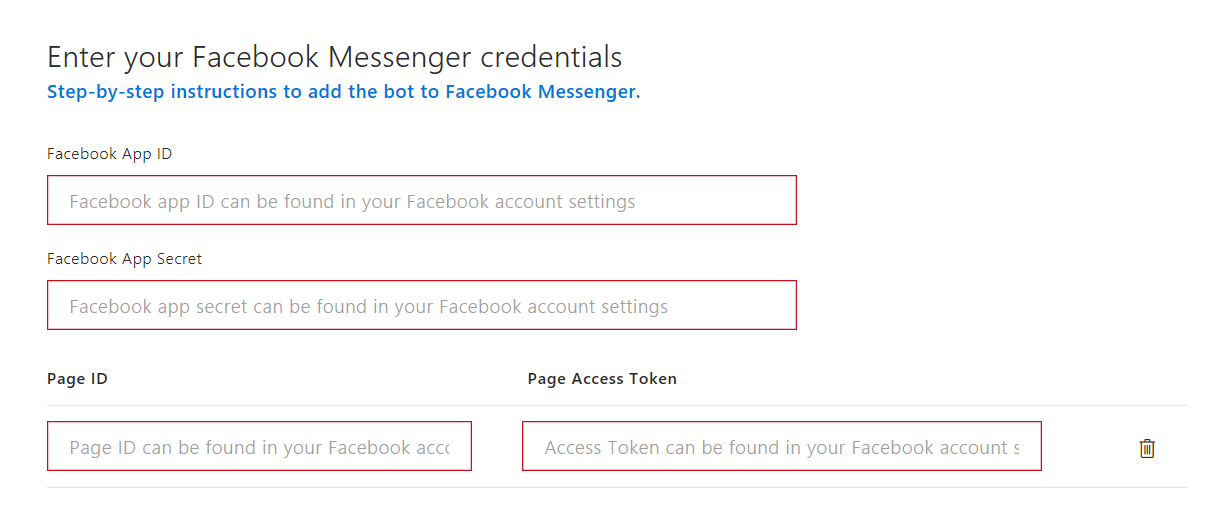
You can paste the Facebook App ID, Facebook App Secret, Page ID,and Page Access Token values copied from Facebook Messenger previously. You can use the same bot on multiple facebook pages by adding additional page ids and access tokens.
Submit for Facebook Review:
Select Ap preview and Click and Submit for review after submit will take some time for the facebook team testing to the messenger bot and you can mark your app live available to the public , then you can test messenger from the Facebook page .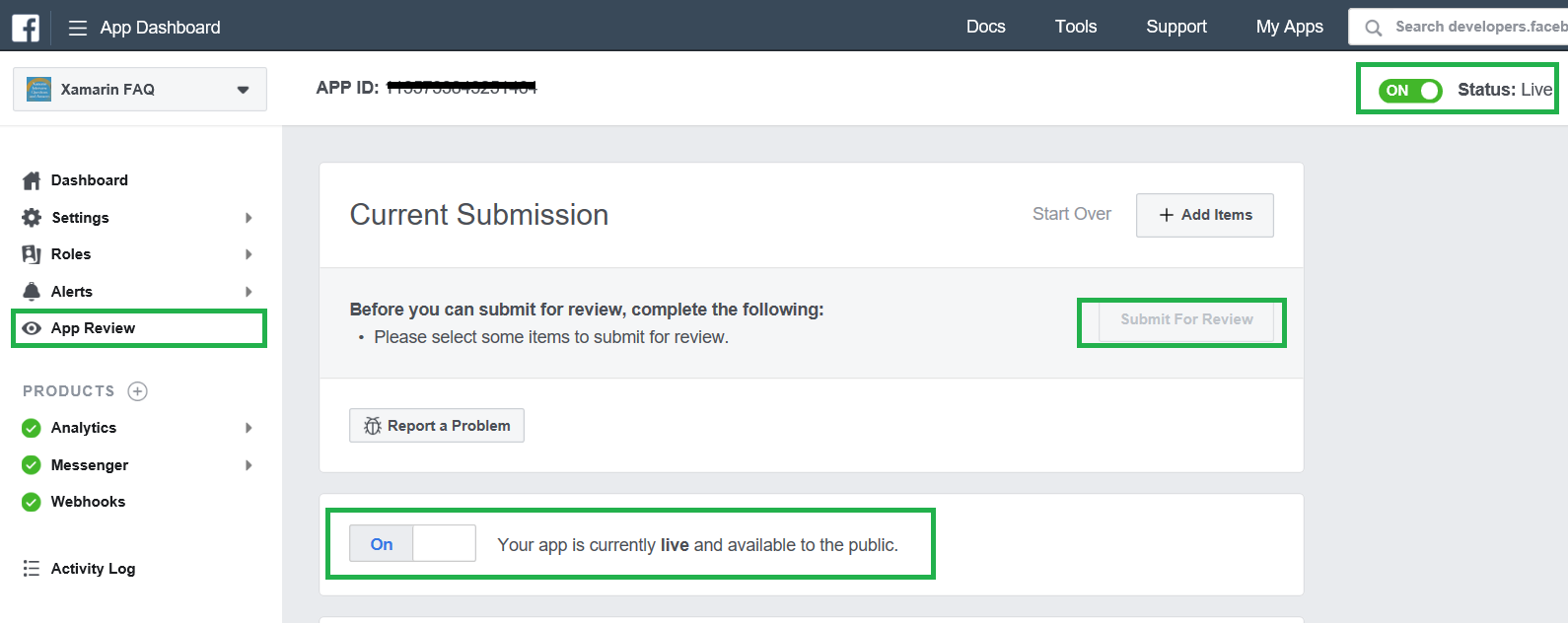
Facebook Team review and Testing:
You can verify Facebook team testing progress, navigate to your Facebook page and Click on Inbox and verify, if anything problem to the messenger bot, the Team will update the bug list from App review screen.
Xamarin FAQ Messengers testing:
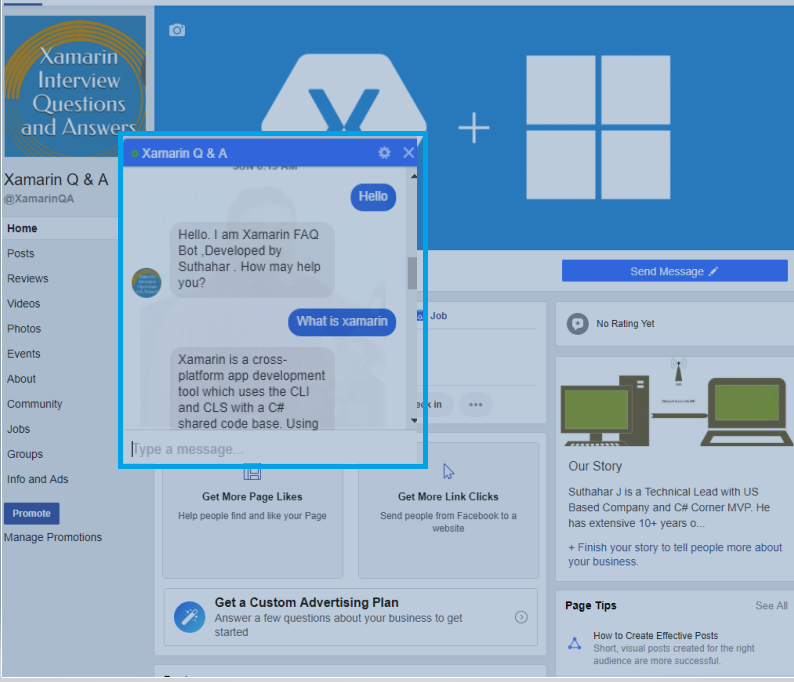
You can select your Facebook page and test your bot application. I have trained 7000+ more questions to the Facebook messengers bot from Xamarin Q & A Page,if you want to look the xamarin FAQ demo. Navigate to Xamarin Q & A Facebook page and ask your xamairn related question.
No comments: